
The IDE has always been a developer tool. Not anymore. It is now the workspace where designers do AI work too — where your files live, where you see your project, and where you watch Claude work.
For this guide we use Visual Studio Code. Free, made by Microsoft, runs everywhere.
What an IDE looks like
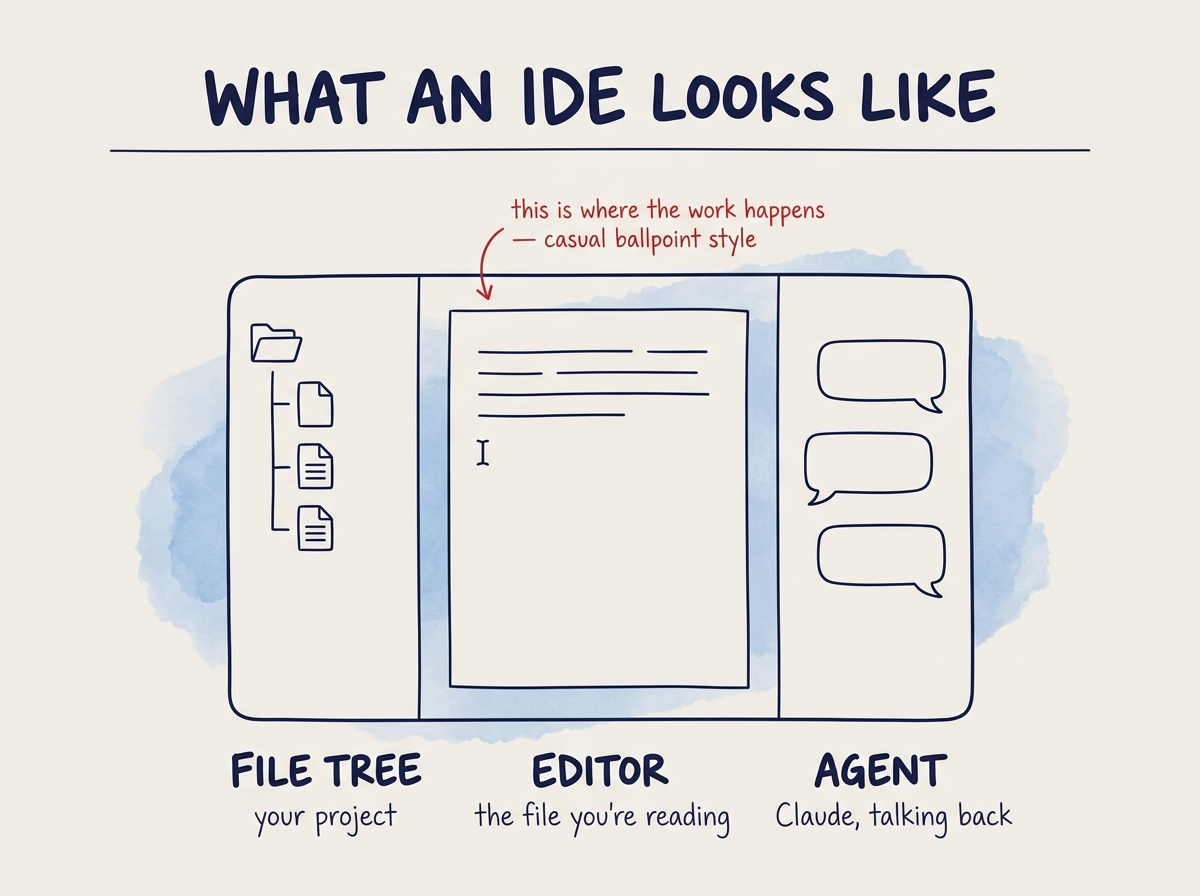
An IDE has three main parts.
- On the left, the file tree. Every file in your project, nested in folders. You can see the shape of what you are working on at a glance.
- In the middle, the editor. The file you are currently reading or writing. Could be a markdown note, a CSS file, a component, an image — anything.
- On the right, the agent. In our case, Claude. You talk to it, it reads and writes the files in the middle, and you watch it work.
That is it. File tree, editor, agent — all in one workspace.
Cursor and Antigravity are just VS Code
You may have heard of Cursor and Antigravity. Both are branches of Visual Studio Code — the same app with a different skin on top.
- Cursor. Popular with designers. Strong momentum in the AI space.
- Antigravity. A newer alternative.
Learn VS Code once. You can work with the others.
Why the IDE comes first
Before you can have an agent working on files, you need a place where those files live and where you can see them. The IDE is that place.
It is where you read what Claude produces. It is where you open the markdown notes that shape Claude's behavior. It is where you keep everything in one overview.
Once you have an IDE, you need something that works inside it. That is the agent.